Fanttik
Fanttik T1 Max Cordless Soldering Iron
8.7 / 10
Cordless, heats in seconds, and goes wherever the repair is.
Check Price →
Read full review →
We earn a commission, at no extra cost to you.
Reviewed by Kerem Başbuğ · Last updated June 19, 2026 · How we rank
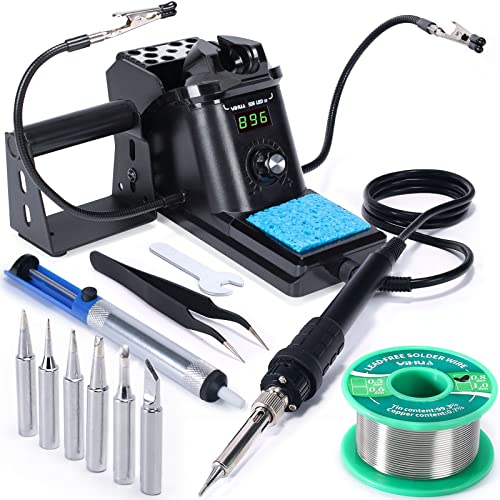
A 60W digital soldering station that comes loaded: six spare tips, helping hands, solder, a solder sucker, and tweezers. The temperature control alone makes practice far easier.
Most failed first attempts at soldering come down to a bad iron, not bad hands. A temperature-controlled station like the YIHUA 926 III removes that variable, and because it ships with tips, helping hands, and consumables, it is genuinely all you need to pair with any practice kit on this page.
We earn a commission, at no extra cost to you.
Contents come from the current Amazon listing and can change — check the listing before buying.
Calibrate expectations before you calibrate the station: set 315–340°C for leaded solder, tin the tip as soon as it reaches temperature, and leave the brass wool or sponge within reach. Fit the medium chisel tip rather than the fine conical one for general work — beginners usually blame the station when the real problem is a tip too small to move heat. Switch auto-sleep on so the tip is not idling hot between joints.
Anyone serious about learning — a real station beats a bare iron every time.

More wattage and a similar accessory bundle for less money, if brand track record matters less to you.
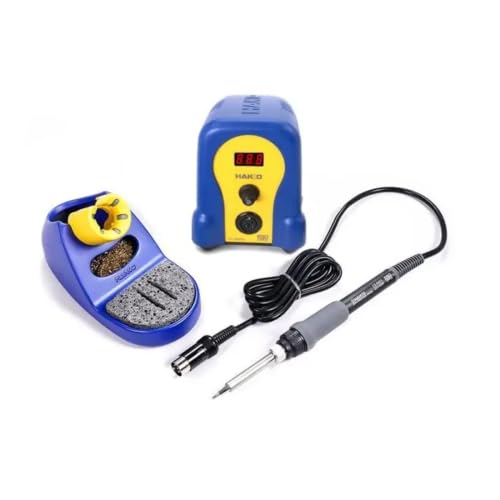
Costs considerably more and comes with fewer extras, but it is the station people keep for a decade.
Fanttik
Cordless, heats in seconds, and goes wherever the repair is.
We earn a commission, at no extra cost to you.

Q-MING
A cheap, adjustable iron with tips and accessories to get started.
We earn a commission, at no extra cost to you.
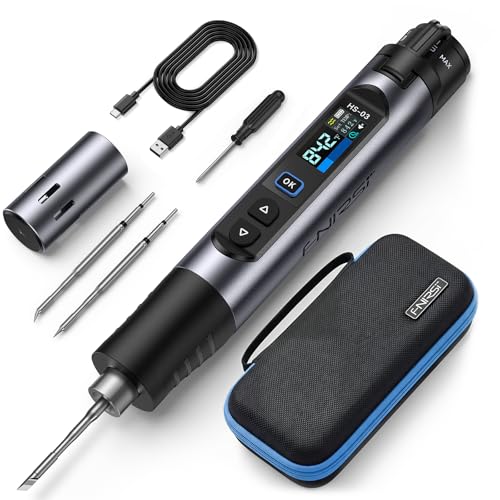
FNIRSI
Battery-powered, 3-second heat-up, and a screen that shows the temp.
We earn a commission, at no extra cost to you.