YIHUA
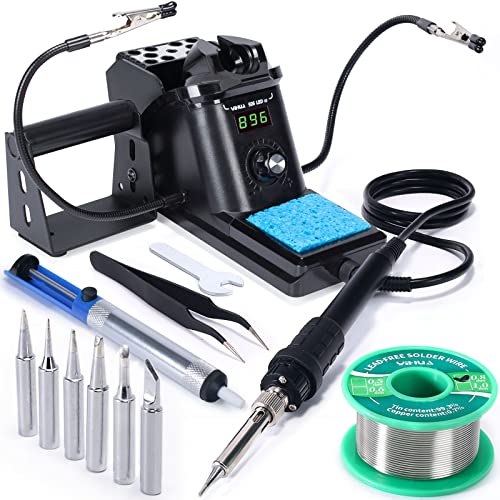
YIHUA 926 III 60W Soldering Station
9.0 / 10
A temperature-controlled station bundled with everything to start.
Check Price →
Read full review →
We earn a commission, at no extra cost to you.
Reviewed by Kerem Başbuğ · Last updated September 15, 2026 · How we rank
A 100W digital soldering station with a 356–896°F range, auto sleep and °C/°F display, bundled with two helping hands, solder, tips, a pump, tweezers and a tip cleaner. Everything a beginner needs to start on a bench, at a budget price.
For a first bench station on a tight budget, this kit covers a lot of ground: a 100W digital station that recovers heat well, plus the helping hands and consumables a beginner would otherwise buy separately. The accessories are budget-grade and the brand is less established than the big names, but as a complete starting setup it is excellent value.
We earn a commission, at no extra cost to you.
Contents come from the current Amazon listing and can change — check the listing before buying.
Do not let the 100W rating tempt you into high settings — start at 315–340°C for leaded solder and let the wattage handle recovery between joints. Fit the helping hands before your first joint rather than after the board slides for the third time, and use the included pump to practise removing a joint deliberately, so desoldering is familiar before you need it.
Beginners who want a digital station and the basic extras without spending much.
A better-known brand with a similar bundle, if you would rather buy the established name.
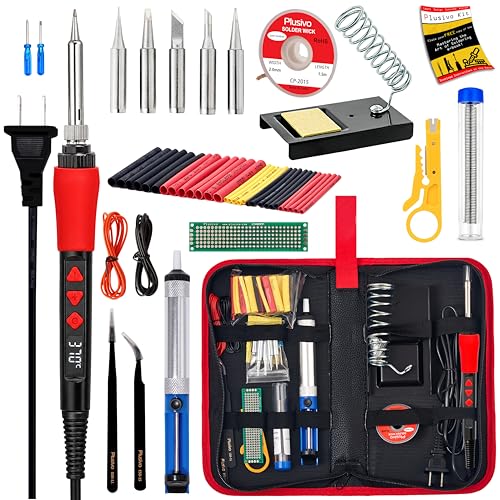
Cheaper still and pen-style rather than a station, for a smaller desk or a tighter budget.
YIHUA
A temperature-controlled station bundled with everything to start.
We earn a commission, at no extra cost to you.

Fanttik
Cordless, heats in seconds, and goes wherever the repair is.
We earn a commission, at no extra cost to you.

Q-MING
A cheap, adjustable iron with tips and accessories to get started.
We earn a commission, at no extra cost to you.
